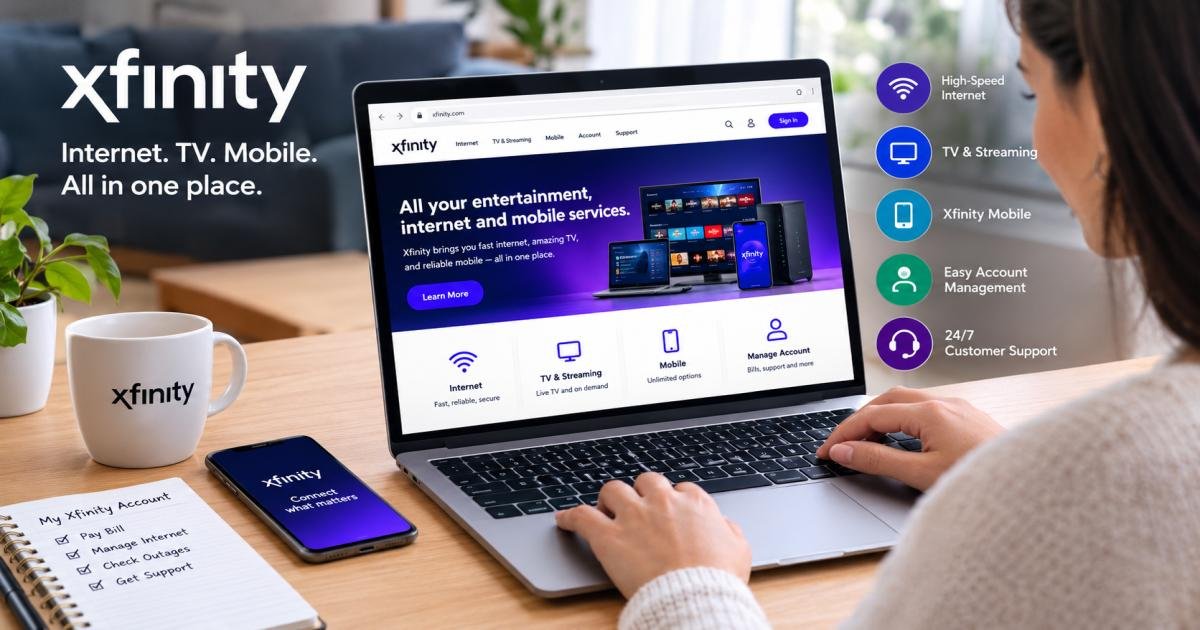

Xfinity com is the official website of Xfinity, Comcast’s home internet, TV, mobile, and security brand. You use it to sign in with your Xfinity ID, pay your bill, check outages, manage equipment, and reach support. Shoppers use the same site to compare plans and see what’s available at their address.
This guide shows how each part works, step by step. It also covers a risk most guides skip: unofficial support numbers. Search results for Xfinity help often list a phone number that does not match the one on Comcast’s own website. The support and security sections show you how to spot those listings.
Quick facts about Xfinity com
- Owner: Comcast. Xfinity is its home-services brand, launched in 2010.
- Services: internet, TV and streaming, mobile, and home security.
- Sign-in: an Xfinity ID and password, with optional two-step verification.
- Support phone: 1-800-XFINITY (1-800-934-6489), the number on Comcast’s own site.
- Outage check: xfinity.com/support/status.
- Trial period: 30 days for TV, internet, voice, and home security. 14 days for Mobile.
Prices and offers change often and vary by address. Treat the figures below as typical examples, and confirm the final price at checkout.
What Is Xfinity Com?
Xfinity com is the main website for Xfinity, the consumer brand of Comcast. Comcast introduced the Xfinity name in 2010. Today the brand sells home internet, TV and streaming, mobile service, and home security.
The site does two jobs:
- For shoppers, it lists plans, deals, and speeds, and it checks what reaches your address.
- For customers, it works as a control panel. You can pay, change, fix, and track most things from one login.
Three names cause most of the confusion. Comcast is the parent company. Xfinity is its brand for homes. Comcast Business is a separate brand for offices and shops.
Xfinity serves customers in the United States. If you live elsewhere, you can still use this guide to compare providers or to help a family member manage an account.
How to Access Xfinity Com
To access Xfinity com, go to xfinity.com, select Sign In, enter your Xfinity ID and password, and add a verification code if two-step verification is on. Follow these steps:
- Open your browser and type xfinity.com in the address bar. Typing the address beats clicking a search ad.
- Select Sign In, usually near the top of the page.
- Enter your Xfinity ID, the ID you created when you set up your account. In some cases, a verified mobile number or email works too.
- Type your password.
- Enter the verification code Xfinity sends to your phone or email, if you turned on two-step verification.
Don’t have an Xfinity ID yet? Choose the option to create one on the sign-in page. Keep a recent bill nearby, or the phone number or email on the account, because the site may ask for it.
Two habits save time. Bookmark the real page, and install the Xfinity app on your phone. The app uses the same ID, so you get a second way in.
What Can You Do After Xfinity Com Login?
After your Xfinity com login, you can pay bills, change plans, check outages, fix your internet, and manage TV and mobile lines in one place. Xfinity’s support pages say your account gives you 24/7 support, bill pay, plan details, and outage updates.
Here is what most customers do first:
- Pay your bill and set up AutoPay.
- Review your plan, speeds, and add-ons, then change them.
- Check outages for your address.
- Restart your gateway or run a quick troubleshooting test.
- Manage your Wi-Fi. Change the network name and password, see connected devices, or pause one.
- Manage TV, including your channel plan and the Xfinity Stream app.
- Add or manage Mobile lines and check data use.
- Book or change a technician visit.
- Update your contact details and security settings.
Example: a family notices slow internet at night. They sign in, check the Status Center for an outage, and restart the gateway from the account. That typically takes a few minutes and no phone call.
Xfinity Internet Services
Xfinity internet is cable-based home internet with speeds up to 2 Gbps in many areas. Your address decides which plans you can order. According to 2026 price trackers, entry plans typically start between $40 and $45 a month, and top tiers run near $100 or more.
Key facts before you order:
- Five-year price guarantee. Comcast says its new internet packages include a five-year price guarantee, no contracts, unlimited data, and a Wi-Fi gateway. These terms apply to qualifying plans, so read the details on yours.
- Data caps. Older plans in some regions carried a 1.2 TB monthly cap, according to 2026 price guides. Check that your plan lists unlimited data.
- Upload speeds. Uploads run slower than downloads. On the top tiers, they typically top out near 200 Mbps. That matters for video calls and cloud backups.
- Low-cost options. 2026 price guides list Internet Essentials at $14.95 a month for qualifying households. Ask Xfinity about eligibility.
- Xfinity WiFi. Customers can also join Xfinity WiFi hotspots in public places.
How much speed do you need? Netflix recommends about 15 Mbps for each 4K stream. Four 4K streams at once need about 60 Mbps (4 × 15). A 300 Mbps plan typically leaves room for video calls, game downloads, and phones on top. Pick 500 Mbps to 1 Gig if many people work or game at the same time. Pick the top tier only if you move very large files.
Xfinity TV & Streaming
Xfinity TV comes in two forms: a TV plan with a box, and streaming add-ons you watch through apps. Both live under one Xfinity account.
- Xfinity TV plans include a 4K TV Box and a voice remote. Plan names have included Sports & News TV, TV Plus, and TV Premium. Xfinity includes Peacock Premium with ads in Sports & News TV and lists its value at $12.99 a month.
- Xfinity Stream app lets you watch on phones, tablets, and computers. Customers with Xfinity internet or video can use it.
- Xumo Stream Box puts apps like Netflix, Disney+, and Prime Video on one home screen. Xfinity’s page says one box comes with monthly internet service. The Xumo Play app adds 300-plus free channels. You still pay for each streaming app.
- NOW TV is a streaming-only TV add-on for internet customers. Retail trackers list it near $20 a month in 2026.
- StreamSaver and StreamStore. Comcast launched StreamSaver at $15 a month for Netflix with ads, Peacock Premium, and Apple TV. In March 2026, Xfinity added StreamStore, a shop with eight bundles that include the Disney+ and Hulu bundle and HBO Max. Xfinity says bundles can save up to 45 percent, and you get one bill.
Streaming uses your internet data. On a plan with a cap, heavy 4K viewing adds up quickly.
Xfinity Mobile
Xfinity Mobile is a phone service that runs on Verizon’s network and requires Xfinity Internet at home. You get Verizon’s 5G coverage with Xfinity billing and support.
- Price. In June 2026, Clark.com listed unlimited plans from about $30 a line, with a higher tier from about $45 a line. Prices change with the number of lines and current promotions.
- Pay-per-gig plan. Clark.com reports that Xfinity stopped offering it to new customers on June 8, 2026.
- Contract. Xfinity Mobile has no annual service contract. If you finance a phone, those payments are separate.
- Devices. Bring your own unlocked phone or buy one from Xfinity.
- Free line. Comcast says new internet packages include a free Xfinity Mobile line for one year.
- Trial. Xfinity gives a 14-day money-back guarantee on Mobile service and devices.
Is it worth it? If you already pay for Xfinity Internet and two people need phone plans, price both options side by side. Check the coverage map first if you live where Verizon’s signal is weak.
How to Pay Your Xfinity Bill Online
You can pay your Xfinity bill online by signing in at xfinity.com or in the Xfinity app, opening billing, and choosing a card or bank account. Here are the steps:
- Go to xfinity.com or open the Xfinity app, and sign in.
- Open the billing section and select Pay bill.
- Check the amount and due date.
- Choose a card or bank account.
- Confirm, and save the confirmation number.
AutoPay. Turn it on in your billing settings, and Xfinity takes the payment on your due date. Keep your card details current. An expired card is a typical reason an automatic payment fails.
Paperless billing. Switch to email statements to stop paper bills.
No password handy? Xfinity offers a quick-pay option that lets you pay without signing in. You typically need your account number or phone number. You can also pay by phone or at an Xfinity Store.
Check the statement first. Look at the plan price, taxes, equipment fees, and add-ons. Example: when a promotional rate ends, your bill can rise by the gap between the promo price and the regular price. If a charge looks wrong, contact support soon and ask for a line-by-line explanation.
Xfinity App vs. Xfinity Com Website
Use the Xfinity app for quick fixes and alerts on your phone. Use the Xfinity com website for shopping, full bill details, and longer tasks. Both use the same Xfinity ID.
The Xfinity app works best for:
- Outage alerts and network status.
- Troubleshooting and gateway restarts.
- Real-time support, which Xfinity describes as available 24/7.
- Equipment setup and Wi-Fi settings.
- Quick bill payments.
The Xfinity com website works best for:
- Comparing plans and ordering new service.
- Reading your full bill and account settings on a large screen.
- Browsing StreamStore bundles.
- Watching Xfinity Stream on a computer.
Keep both. The app handles the quick jobs, and the website handles the rest.
How to Check Xfinity Service Outages
To check for an Xfinity outage, go to xfinity.com/support/status, sign in, and let Xfinity check your address. You have three other options:
- Xfinity app. Outage alerts appear in the app, often with an estimated fix time.
- Text message. Xfinity customers can text OUT to 266278 from the number on the account.
- Phone. The official support line can also confirm an outage.
During an outage, restarting your gear won’t fix a problem on Xfinity’s side. Use your phone’s mobile data if you need to get online. Check the status page for updates, and restart the gateway after service returns if things still look off.
If the Status Center shows no outage, the problem is likely at your home. Try the fixes in the problems section below.
Third-party outage sites collect user reports. They help you spot trends, but they don’t always match Xfinity’s own data. Check the official Status Center first.
How to Get Xfinity Customer Support
The fastest ways to reach Xfinity support are the Xfinity Assistant chat, the Xfinity app, and the phone line 1-800-XFINITY (1-800-934-6489). Comcast lists all three on its customer experience page.
- Xfinity Assistant (chat): answers questions 24/7 on the site and in the app.
- Xfinity app: gives real-time support, troubleshooting, and outage updates.
- Phone: works best for complex issues and billing disputes.
- Xfinity Store: lets you swap equipment or get hands-on help. Check store hours online first.
- Accessibility support: Comcast says it offers specialized support for people with disabilities.
Prepare before you contact support. Have your account number, Xfinity ID, and the name on the account ready. List what you already tried. At the end, ask for a reference number so you can follow up. Example: telling the agent you restarted the gateway twice and checked the Status Center saves two steps.
Verify any support number. Search results for Xfinity help often list a different number as the official line. Some of those pages sit on .gov and .edu domains, likely because spammers upload files to forms there. The number they promote does not match Comcast’s own listing. Treat any number from a search result, ad, or pop-up as unverified. Take numbers only from xfinity.com or Comcast’s corporate site.
Common Xfinity Com Problems and Solutions
Most problems have a quick fix. These come up most.
I can’t sign in. Check your Xfinity ID and password, then reset your password at xfinity.com/password.
The verification code doesn’t arrive. Check your spam folder and confirm the phone number or email on file. Wait a minute, then request a new code. Switch between text and email if both are on file.
The page won’t load or acts strange. Try another browser or a private window. Clear the cache and pause extensions. The app often works when the site doesn’t.
My internet is slow. Run a speed test with an Ethernet cable plugged in, since a wired test shows your real speed. Unplug the gateway for about 30 seconds, then plug it back in. That typically clears minor glitches. Move closer to the router, or place it in a central spot. Check the Status Center for an outage.
Wi-Fi keeps dropping. The 5 GHz band is typically faster, and the 2.4 GHz band typically reaches farther. Try both. Keep the router off the floor and away from thick walls.
The TV box freezes. Restart it from your account, or unplug it for 30 seconds. Ask Xfinity about a swap if the problem repeats.
My bill is higher than expected. Look for an ended promo, new fees, or add-ons. Compare this month’s bill with last month’s. If it still doesn’t add up, ask support for a line-by-line review.
Still stuck? Contact support and list the steps you already tried.
Xfinity Com Security & Account Safety
The safest way to use Xfinity com is to type the address yourself, use a unique password, and turn on two-step verification. Add these habits:
- Type the address yourself. Don’t trust links in texts, pop-ups, or ads.
- Use a unique password. A password manager helps. Don’t reuse your email password.
- Turn on two-step verification. A stolen password alone then can’t open your account.
- Keep recovery details current. Xfinity advises adding a mobile number or email to your profile so password resets go smoothly.
- Never share codes. A real support agent doesn’t need your verification code.
- Spot phishing signs. Watch for threats of cut-off service, pressure to act fast, odd spelling, or an address that doesn’t end in xfinity.com.
- Sign out on shared devices.
- Verify support numbers. As covered above, search results often promote numbers that don’t match Comcast’s official listing.
Xfinity may ask you to reset your password if it sees unusual activity. Reach the reset page through xfinity.com, never through a link in a message.
How to reset your Xfinity password:
- Go to xfinity.com/password.
- Enter your Xfinity ID, a verified mobile number, or a personal email.
- Choose text or email.
- Enter the code you receive.
- Create and confirm a new password.
If you think someone got in, reset your password right away. Then contact Xfinity support and check your bank and card statements for odd charges.
Xfinity Com for New Customers
New customers can order Xfinity service on xfinity.com in about seven steps.
- Check your address. Enter it on xfinity.com to see which plans reach your home.
- Compare plans. Look at speed, monthly price, price-guarantee length, data limits, and equipment fees. Add taxes and fees to see the real monthly cost.
- Pick extras. Consider TV, a Mobile line, or a streaming bundle. Add only what you will use.
- Choose your setup. Many homes can self-install with a kit, or you can book a technician.
- Create your Xfinity ID. You will use it for everything.
- Activate and test. Follow the steps in the Xfinity app, then run a speed test.
- Turn on AutoPay and paperless billing, and add the app to your phone.
Know your safety net. Comcast says it offers a 30-day money-back guarantee on TV, internet, voice, and home security, and 14 days on Mobile. Test your service early, so you know it works before the window closes.
Xfinity Com for Existing Customers
Existing customers catch price changes early by checking Xfinity com once or twice a year.
- Review your plan yearly. Compare what you pay with the speed you use. If a promo is ending, ask what the new price will be.
- Check price-guarantee dates. If you’re on a five-year plan, note the end date.
- Add services with care. A Mobile line, TV plan, or streaming bundle can lower your total bill when you would buy them anyway.
- Manage equipment. Swap old gear and return what you no longer use, so you don’t pay for it.
- Moving? Tell Xfinity before your move date and ask about transferring service.
- Keep contact details fresh for outage alerts and bill reminders.
- Turn on app notifications for outages and billing.
New-customer deals typically beat older rates. Ask support what you qualify for.
Final Thoughts
Xfinity com works best as your control panel for internet, TV, mobile, billing, and support. The app handles quick jobs, and the website handles bigger ones.
Three habits protect your time and money. Type the address yourself. Turn on two-step verification. Take support numbers only from Xfinity or Comcast, not from search results, because unofficial listings are common. Then review your plan once a year, since prices and promotions shift.
How this guide was researched. It draws on Xfinity’s support pages, Comcast’s customer experience page, Comcast press releases from 2024 and 2026, and 2026 price trackers. Plans and prices vary by address, so confirm details on xfinity.com before you change anything.
FAQs
What is Xfinity Com?
Xfinity com is the official website of Xfinity, Comcast’s home internet, TV, mobile, and security brand. Customers sign in to pay bills, check outages, manage equipment, and contact support. Shoppers use it to compare plans and check availability at their address.
How do I log in to Xfinity Com?
Go to xfinity.com, select Sign In, and enter your Xfinity ID and password. If you turned on two-step verification, enter the code Xfinity sends to your phone or email. You can also sign in through the Xfinity app, which uses the same ID.
How do I find my Xfinity ID?
Select the forgot ID or password link on the sign-in page. Xfinity asks for details such as a verified mobile number or an email on your account, then helps you recover your ID. Old Xfinity emails can also give clues. If you’re still stuck, contact support.
How do I reset my Xfinity password?
Go to xfinity.com/password. Enter your Xfinity ID, a verified mobile number, or a personal email. Choose text or email, enter the code you receive, then create a new password. Afterward, add a phone number or email to your profile to make future resets easier.
Can I pay my Xfinity bill online?
Yes. Sign in at xfinity.com or in the Xfinity app, open billing, and pay with a card or bank account. You can also turn on AutoPay. A quick-pay option lets you pay without signing in.
Can I check an Xfinity outage online?
Yes. Open the Status Center at xfinity.com/support/status, use the Xfinity app, or text OUT to 266278 from the number on your account. Sign in so Xfinity can check your address for a known outage.
How do I contact Xfinity customer support?
Use the Xfinity Assistant chat, which runs 24/7, or call 1-800-XFINITY (1-800-934-6489). You can also visit an Xfinity Store. Take numbers only from xfinity.com or Comcast’s own site, because search results often list unofficial numbers.
Is Xfinity the same as Comcast?
Not exactly. Comcast is the parent company. Xfinity is its consumer brand for home internet, TV, mobile, and security. Comcast Business is a separate brand that serves companies. So Xfinity is one part of Comcast, not a different company.