Zenith

Zenith

Hi there! I'm Zenith!I love learning new things and sharing what I learn with my readers. I spend a good amount of time researching and understanding a topic before writing about it, because I want my content to be more than just information—I want it to be genuinely useful.Here on Techtrendery, I share informative, educational, and up-to-date content about Technology, AI, Business, Trends, Social Media, News, and many other interesting topics.I believe that learning is a never-ending journey. I learn, explore, and share what I discover, hoping that my content helps you learn something new and useful along the way.

How Interactive Tutorials Are Changing the Gaming Experience

How Interactive Tutorials Are Changing the Gaming Experience

Starting a new game can be exciting until the first challenge introduces unfamiliar controls, complicated menus, and objectives that aren’t immediately clear. Traditional tutorials often present players with instructions to read before they can begin. Remembering everything while trying to…

Payroll Automation: A Practical Guide to Faster, Safer Paydays

Payroll is no longer just a matter of calculating wages and sending payments. Growing teams must manage changing employee details, time records, deductions, taxes, approvals, and reporting across locations. Understanding how payroll software automates tax withholding and filing can help employers decide which repetitive tasks are ready for a more consistent process. Automation can make payday faster, but speed should not be the only objective. A reliable payroll process depends on accurate source data, defined responsibilities, appropriate security controls, and people who review exceptions before payments are finalized. Why Payroll Needs A Fresh Look Payroll teams often support remote employees, hourly workers, multiple work locations, flexible schedules, and changing tax or wage rules. Manual spreadsheets can still work for a very small operation, but repeated data entry across timekeeping, accounting, benefits, and payroll files raises the chance of delays and inconsistent records. A 2026 KPMG global payroll survey also highlighted a practical challenge for many organizations: interest in technology may outpace data readiness and change-management planning. That makes careful setup just as important as selecting new software. What Payroll Automation Actually Does Payroll automation uses software to complete repeatable tasks according to configured rules. It can collect pay information, calculate regular wages and overtime, apply deductions and tax withholdings, prepare payments, create payroll reports, and organize year-end forms. It can also flag missing time entries, unusual pay changes, or incomplete employee records for review. Automation does not remove payroll oversight. A payroll professional or authorized manager still needs to validate exceptions, approve changes, and confirm that the final payroll reflects the organization's policies and legal obligations. The Main Benefits of Growing Businesses Less Manual Work Connected systems can reduce duplicate entries. For example, approved hours from a timekeeping system may flow into payroll instead of being copied into a separate worksheet. That gives payroll staff more time to investigate exceptions instead of repeating calculations. Fewer Avoidable Errors Configured pay rules and validation checks can help identify missing hours, unexpected deductions, incorrect pay rates, and incomplete employee profiles before payroll is submitted. They cannot correct inaccurate source information on their own, so regular review remains essential. Better Employee Access And Business Data Employee self-service features may let workers view pay statements, tax documents, direct-deposit details, and basic payroll information without asking payroll staff for every update. Leaders can also use reports to review labor costs, overtime patterns, headcount changes, and departmental spending. Consider a retailer that opens two new locations and hires staff with different schedules. Centralized payroll records can make the expansion easier to manage, provided employee data, work locations, and timekeeping rules are set up correctly. How Automation Supports Payroll Compliance Compliance requires continuous attention because federal, state, and local requirements can differ. Worker classification, overtime, pay rates, leave requirements, taxes, filing deadlines, and recordkeeping all deserve a documented review process. Employers can consult federal labor guidance on wage, hour, and recordkeeping requirements when assessing the rules that apply to their workforce. Review worker classifications and exemptions. Track overtime and applicable pay rates. Maintain accurate time and payroll records. Confirm tax filing deadlines and payment schedules. Keep an audit trail for changes and approvals. Assign a responsible person to investigate alerts. Software can support these tasks, but it cannot replace legal advice or responsible employer decision-making. Protecting Sensitive Payroll Data Payroll platforms hold highly sensitive information, including Social Security numbers, bank details, addresses, wage history, and tax records. Strong controls are important even for small teams. Require multi-factor authentication. Limit access according to job duties. Remove access promptly when someone leaves. Review account activity and system logs. Maintain secure backups and an incident-response plan. Train staff to recognize phishing and suspicious change requests. A two-person payroll department does not need a large IT staff to improve protection. It does need simple rules, such as requiring a second review before changing an employee's bank account or pay rate. How To Review Payroll Software List current tasks. Identify manual, repeated, slow, or error-prone work. Map connected systems. Include accounting, time tracking, scheduling, benefits, retirement, and HR tools. Check integrations. Confirm that data can move between systems without repeated entry. Review compliance support. Ask about tax updates, filings, notices, and multi-state needs. Test usability and security. Review common employee tasks, approvals, permissions, encryption, backups, and retention practices. Calculate the complete cost. Include setup, support, training, filings, integrations, and add-on fees. A Simple Payroll Automation Implementation Plan Start by cleaning employee names, addresses, tax details, pay rates, deductions, bank information, and work locations. Next, document who enters hours, approves changes, runs payroll, releases payments, and answers employee questions. Run a controlled test before the first live cycle. Compare sample results with prior payroll records, investigate differences, and establish approval rules for pay rates, banking details, deductions, and time corrections. Train payroll staff and give employees clear instructions for using self-service tools. During the first few pay cycles, track errors, questions, processing time, and missed approvals, then adjust the process. Common Mistakes To Avoid Buying software before documenting the current process. Importing outdated or incomplete employee data. Assuming automation will fix weak timekeeping practices. Giving too many users permission to edit sensitive records. Skipping test payrolls and outage planning. Measuring success only by price rather than accuracy, support, time, and risk. Ways To Measure Results Review performance monthly during implementation, then quarterly once payroll is stable. Useful measures include payroll preparation time, corrections per pay period, missed approvals, employee questions, manual entries, report-preparation time, access alerts, and total payroll administration cost. Payroll Automation FAQs Is Payroll Automation Only For Large Companies? No. Smaller businesses may benefit when one person handles payroll, when hiring is accelerating, or when manual work is becoming difficult to review consistently. Can Payroll Automation Eliminate Errors? No. It can reduce certain data-entry and calculation errors, but incorrect employee information, poor time records, and weak approvals can still cause payroll problems. Can A Business Change Payroll Systems During The Year? Yes, but the transition should account for year-to-date wages, tax filings, employee records, deductions, and reporting continuity. Where Can Employers Review Payroll Tax Information? Employers reviewing withholding duties and payroll reporting can use the current IRS payroll tax information for employers as a starting point, then confirm the requirements that apply to their situation. Conclusion Payroll automation works best when it supports a well-designed process instead of replacing accountability. Begin with accurate data, clear responsibilities, security controls, and regular reviews. The right system can reduce routine work and improve visibility, while thoughtful human oversight remains central to every successful payday.

Payroll is no longer just a matter of calculating wages and sending payments. Growing teams must manage changing employee details, time records, deductions, taxes, approvals, and reporting across locations. Understanding how payroll software automates tax withholding and filing can help…

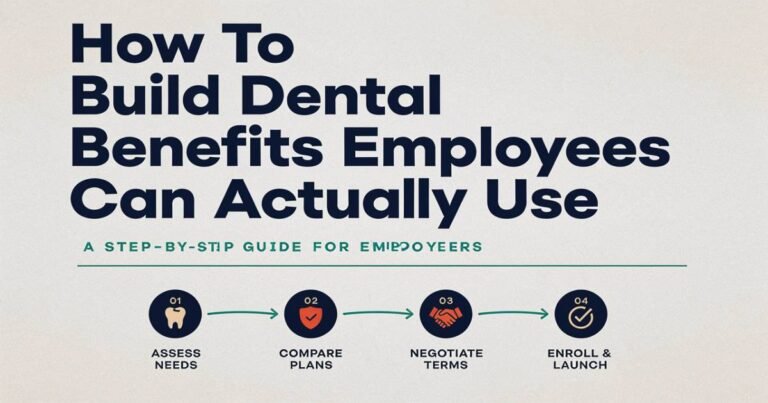
How To Build Dental Benefits Employees Can Actually Use

How To Build Dental Benefits Employees Can Actually Use

Dental coverage is most valuable when employees can understand it, find care, and use it without unpleasant cost surprises. Employers reviewing options such as Delta Dental Insurance should look beyond premiums and plan summaries to consider the day-to-day experience their…

Doctorhub360.com Neurological Diseases: Full Guide – 2026

Doctorhub360.com Neurological Diseases: Full Guide - 2026

Doctorhub360.com neurological diseases refers to the educational resources and information available on the DoctorHub360 platform about conditions that affect the brain, spinal cord, peripheral nerves, and neuromuscular system. This guide explains what these diseases are, major types, common symptoms, causes,…

Aajkitajikhabar.com Business: Complete Guide

Aajkitajikhabar.com Business: Complete Guide

Aajkitajikhabar.com business is the content and publishing side of a Hindi-language website that shares daily news and information pieces. The name means something close to “today’s fresh news.” The site runs articles on many subjects, and some of those pieces…